

Platform & features
One ecosystem, powered by AI
One platform under all our products: workflows, services, verifiable documents, maps and an assistant that answers and builds reports within the permissions of each user.
The platform
The ecosystem
Growing domains. One platform.
One identity, shared data, and capabilities that serve every domain — a new one is assembled onto what is already running.
- One sign-in and one permission model across every domain.
- Data is read once, so the indicator, the map and the report share a source.
- Adding a domain is assembly on the platform, not a project from zero.
- E-ServicesOne digital journey
- Citizen PortalService without a visit
- Water & UtilitiesSource to the meter
- Licensing & PermitsApply, decide, issue
- GIS & Map ReportsHeatmaps & clusters
- HR ManagementOne employee record
- Revenue & Finance LinkFees collected, finance linked
- Labs & QualitySample to certificate
- Document ManagementGoverned content
- MIS & AnalyticsLive indicators
Platform capabilities
Shared capabilities in every system
Reusable capabilities across domains, so every new addition starts from a platform already in operation.
- Dynamic formsFields and conditions set by configuration, with linked lists that fill data in automatically.
- Dynamic servicesA service is defined once: its fields, fees and workflow.
- Dynamic workflowsStages, SLAs and owners, changed by configuration at once.
- E-stampThe organisation's stamp on the documents it issues.
- E-signatureDocuments approved with the authorised signatory's signature.
- AI reportsAsk for a report in your own words; it is built from your data.
- Dynamic dashboardsThe indicator, the map and the report share one source.
- Financial integrationFees collected and linked to the finance system.
- Custom domainEach organisation on its own web address.
- UX-focusedScreens designed around the user's task.
- AI assistantAnswers from your organisation's data, within your permissions.
- Verifiable issued documentsIssued once, verified with a QR code.
- Report builder
- One sign-inThe same identity and permissions across every domain.
- Audit trailEvery decision is recorded with who made it and when.
- Configured notificationsThe event, recipient and channel by configuration.
- Mobile apps
- Multi-tenancy
- API & integration
- OCR & scanningIn development
Workflow
Stages, SLAs and owners
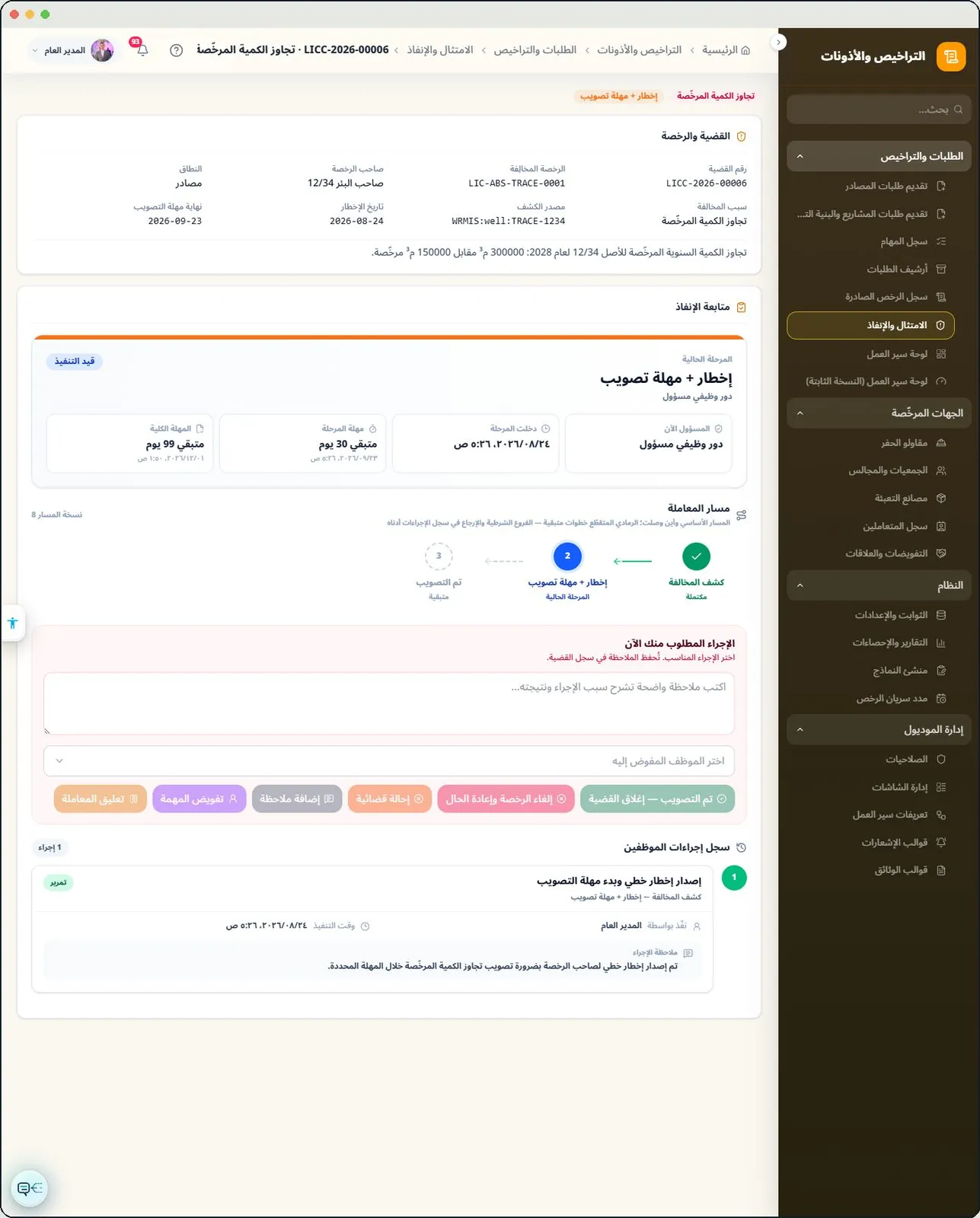
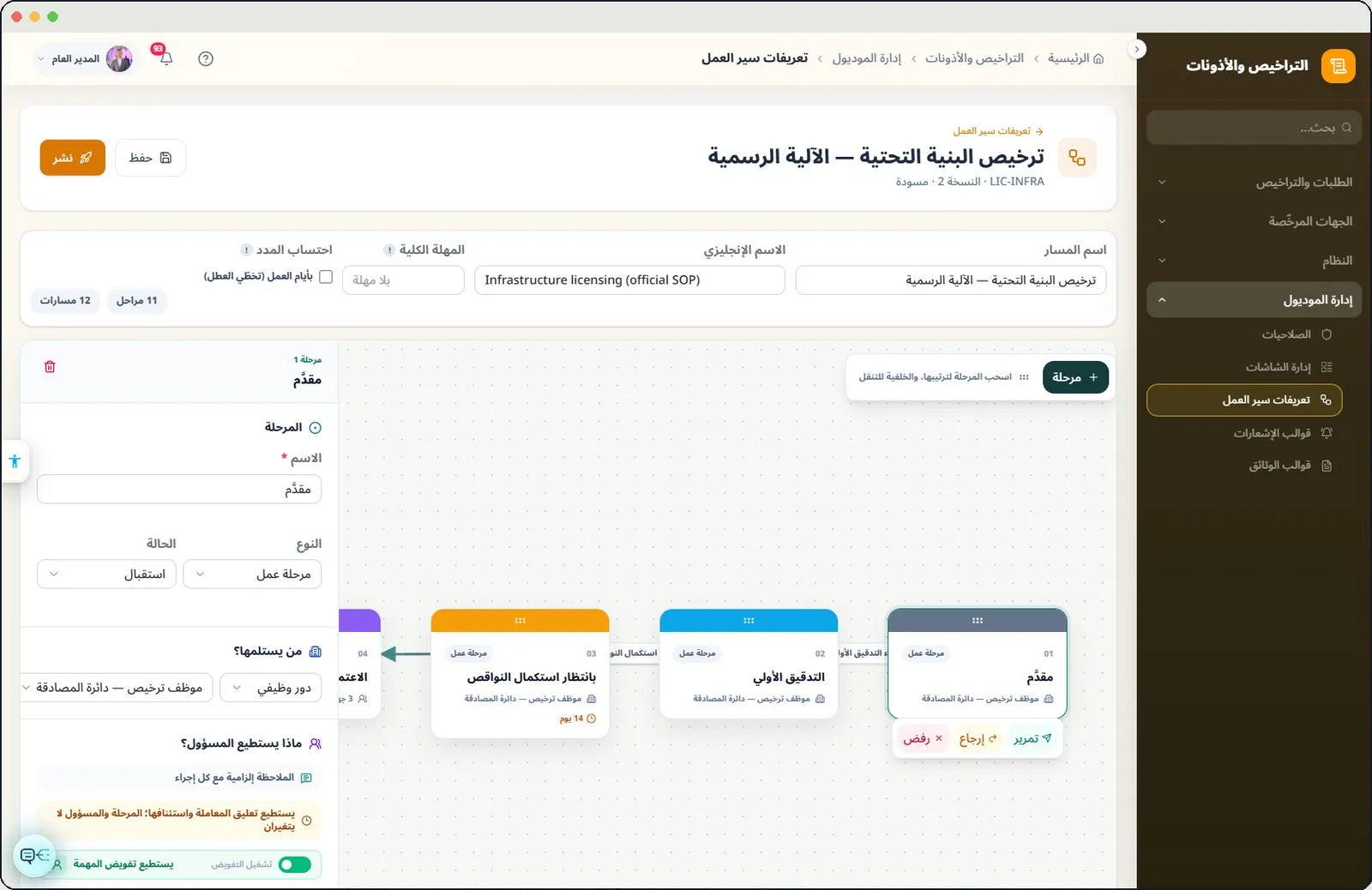
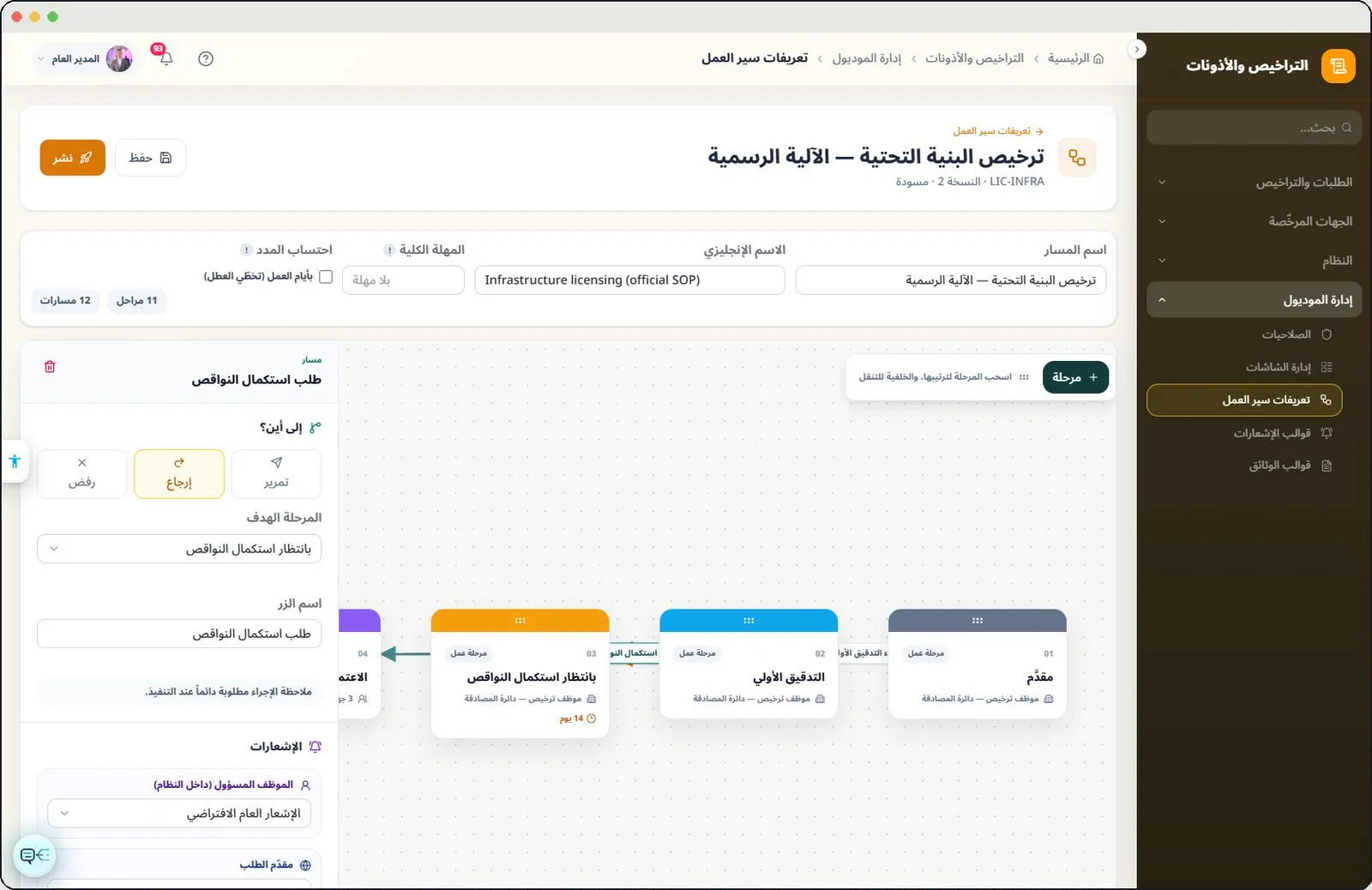
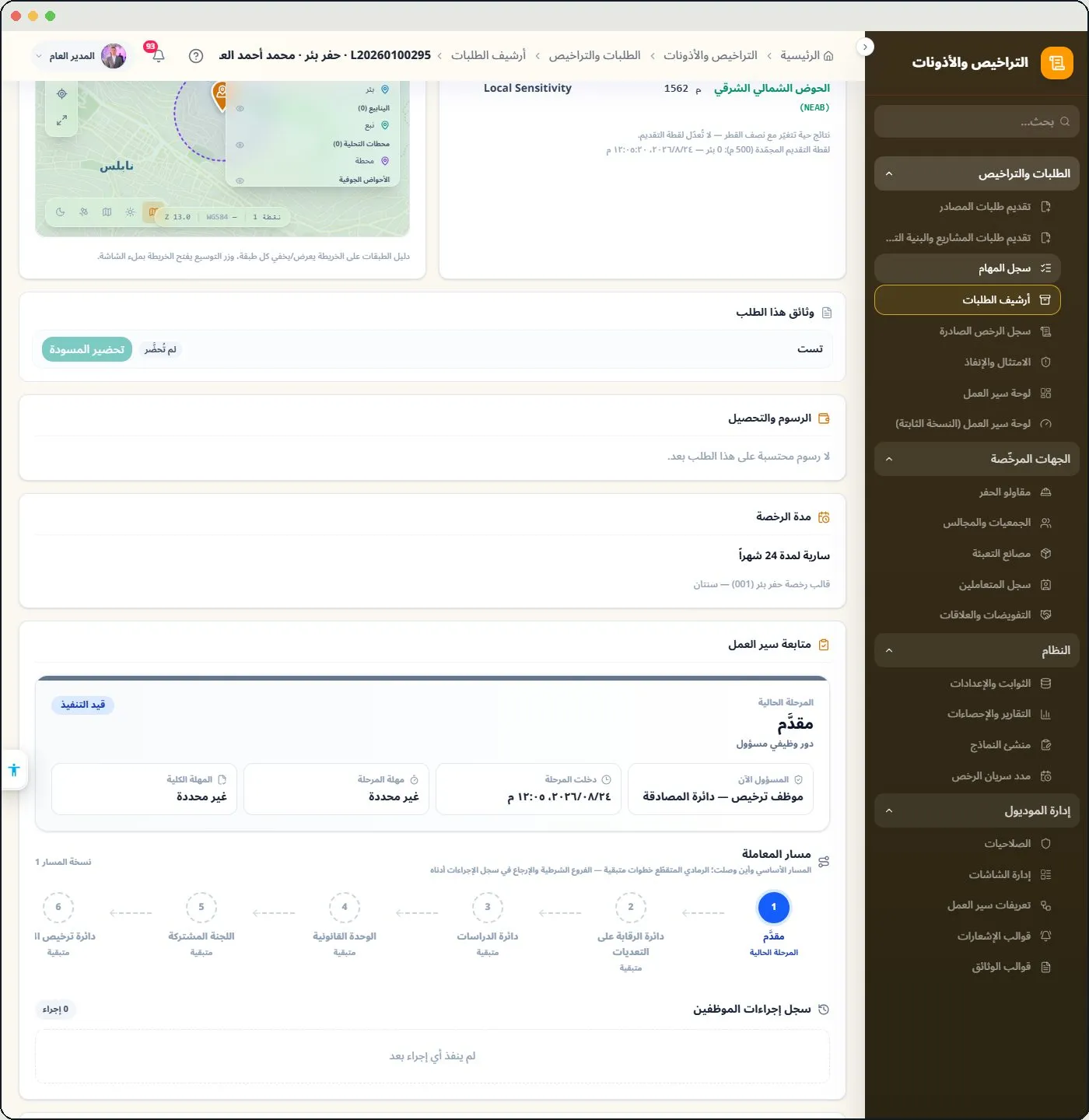
Every request moves along a configured path: stages, response times and a named owner per step — defined by configuration, not code.
- Stages with SLA timers and a defined owner for each step.
- The path is drawn as a diagram — click any route to see the condition that opens it.
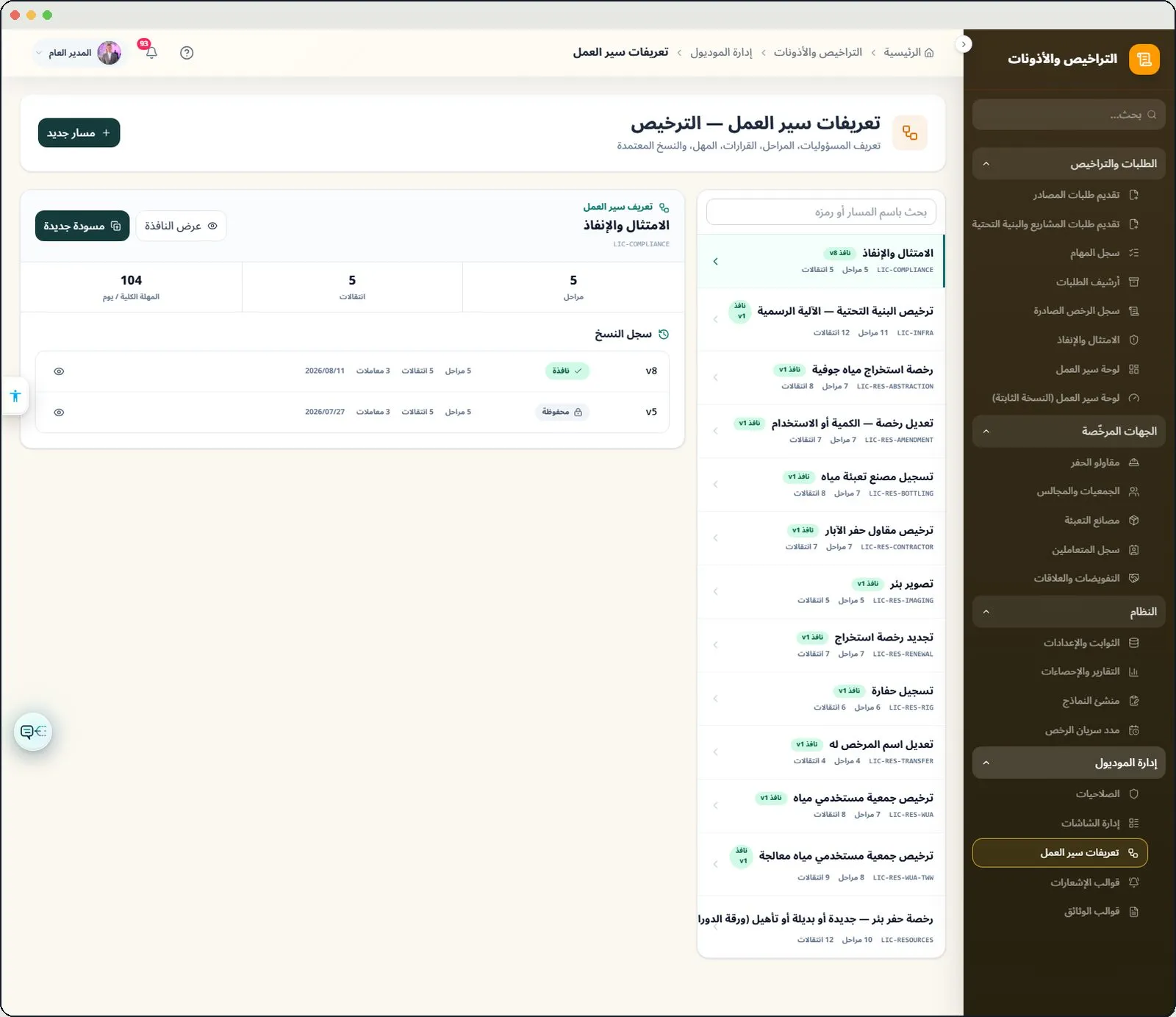
- A library of paths, one per request type.
- Every decision is recorded with its author and time, so the path is auditable rather than assumed.
- Changing a path is configuration that takes effect immediately, not a new release.
Services & requests
One service definition, one rendering engine
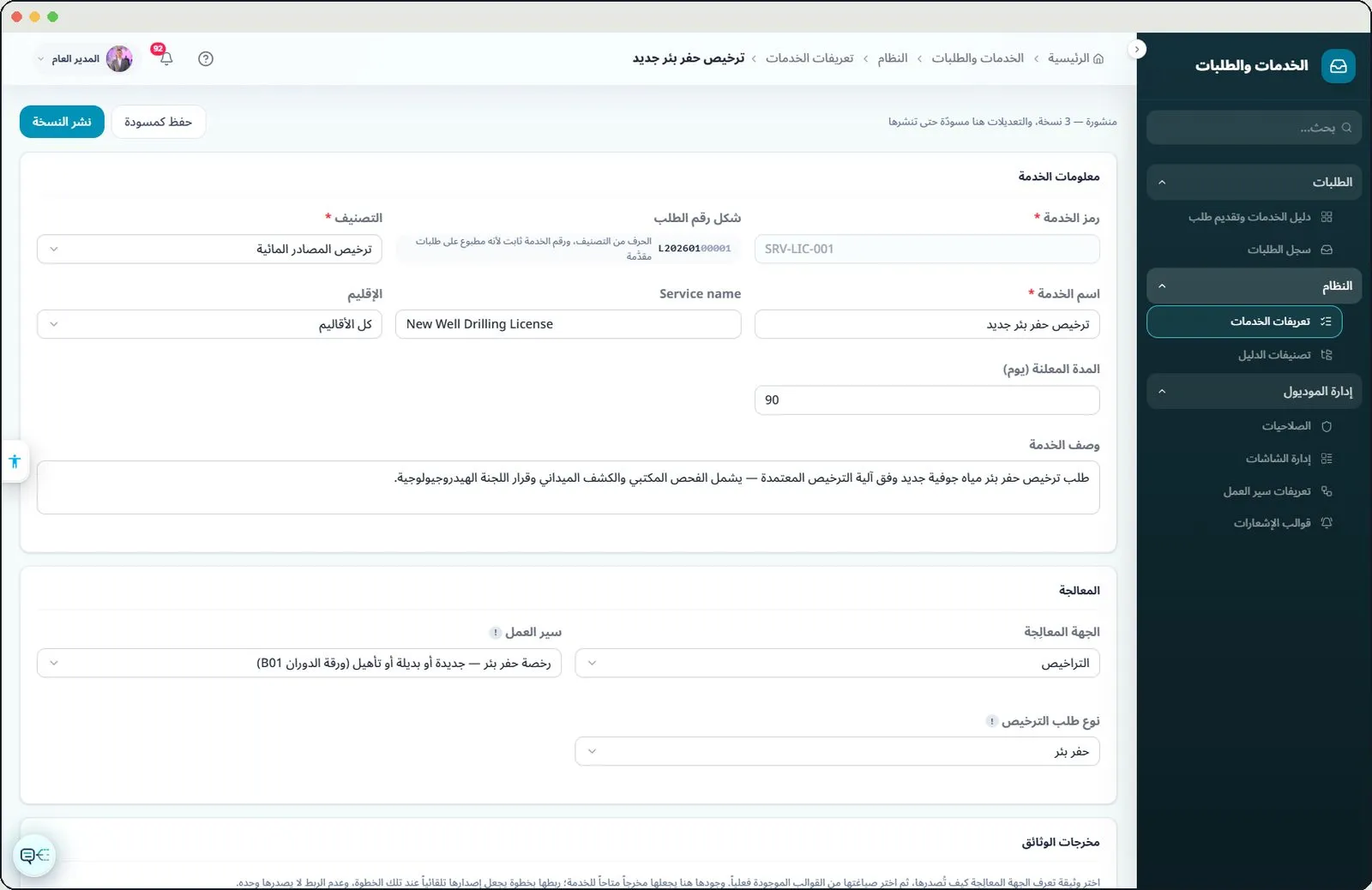
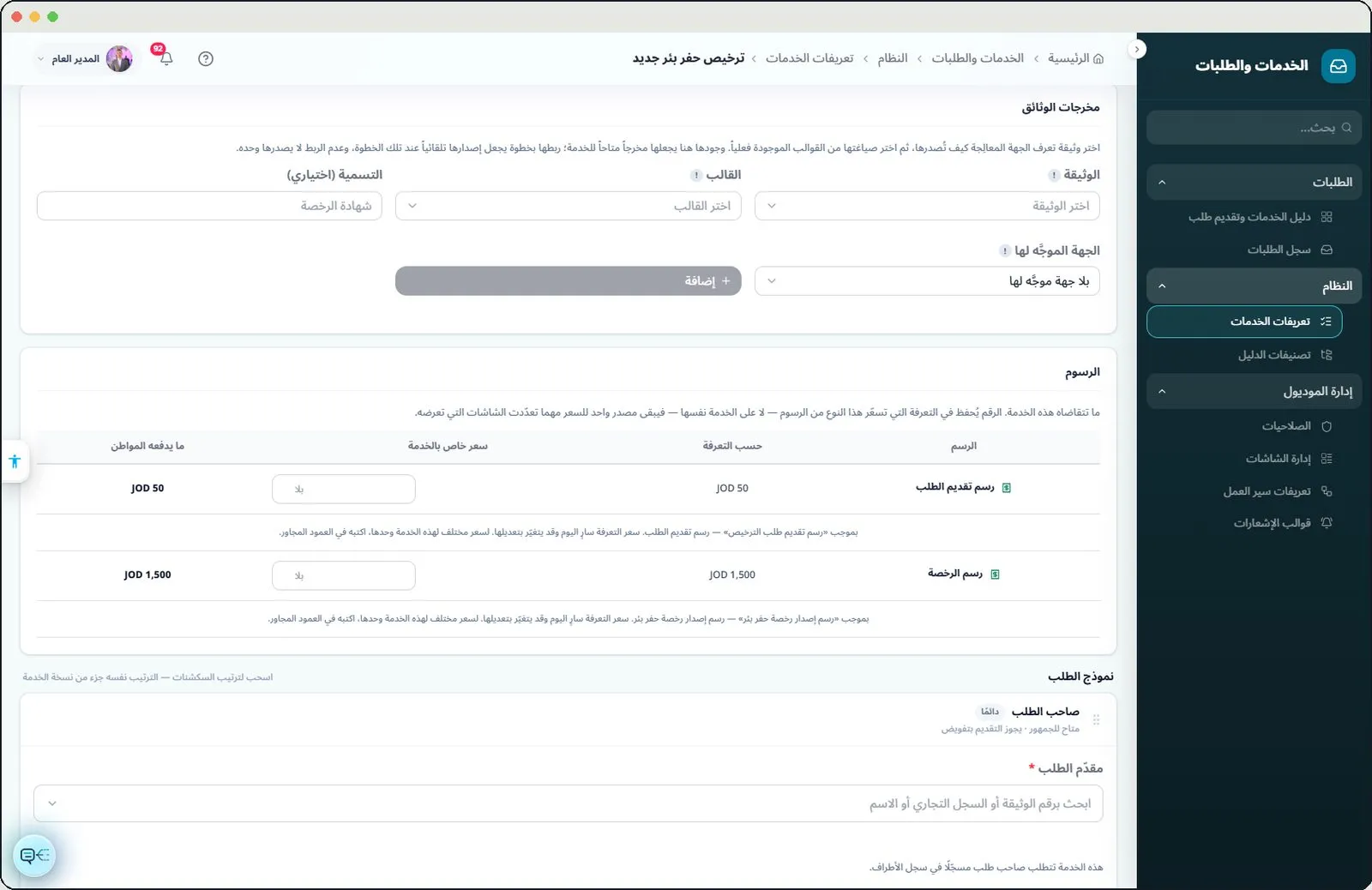
A service is defined once — its fields, outputs, fees and path — and then rendered the same way wherever it is received.
- A no-code form builder: fields, validation and conditions by configuration.
- A service carries its outputs, its fees and its form in one definition.
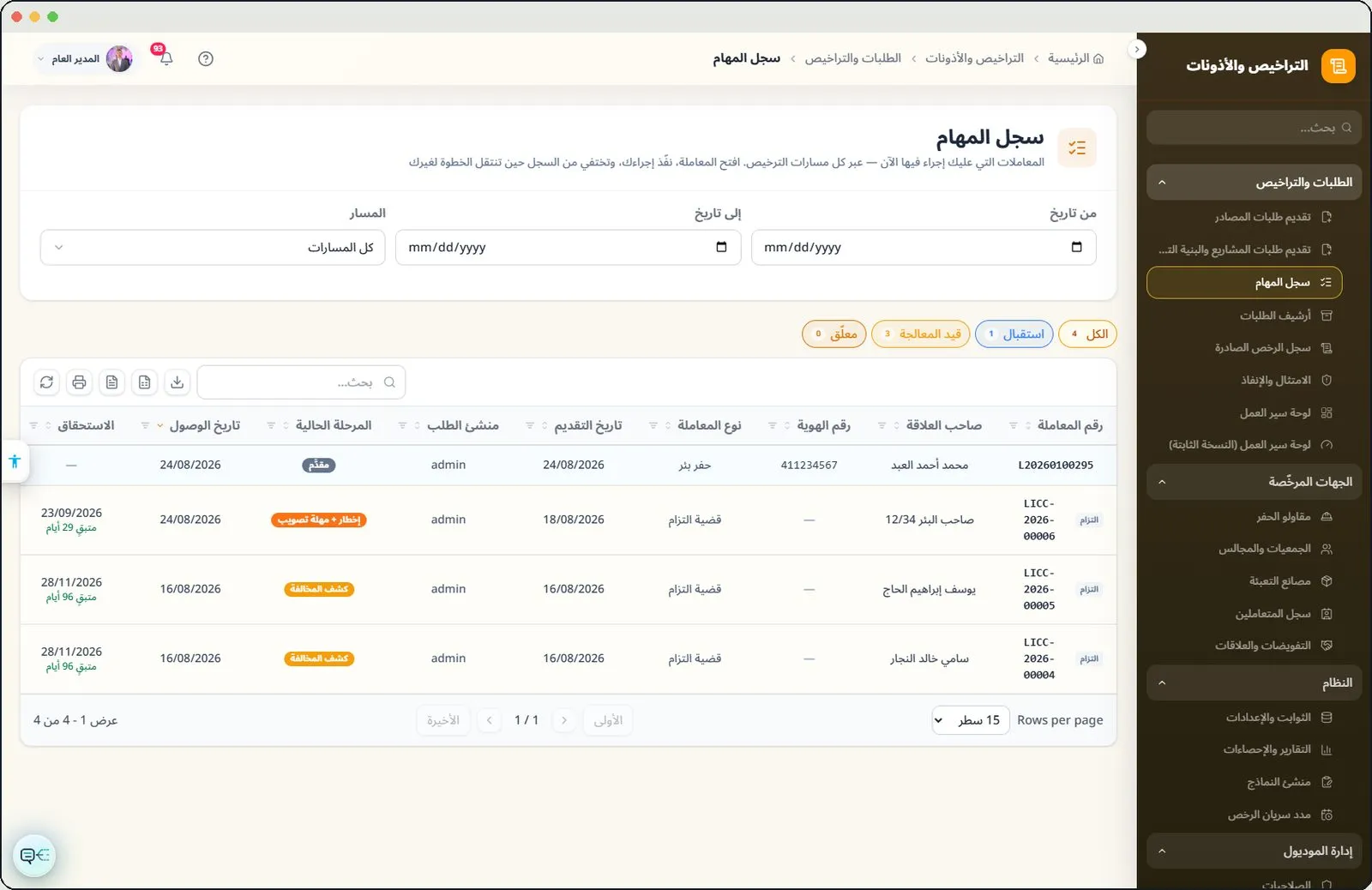
- A request is tracked from submission to completion on one register.
- The same renderer builds the screen in every module that receives the service.
- The handling module adds only its own fields; the rest is shared.
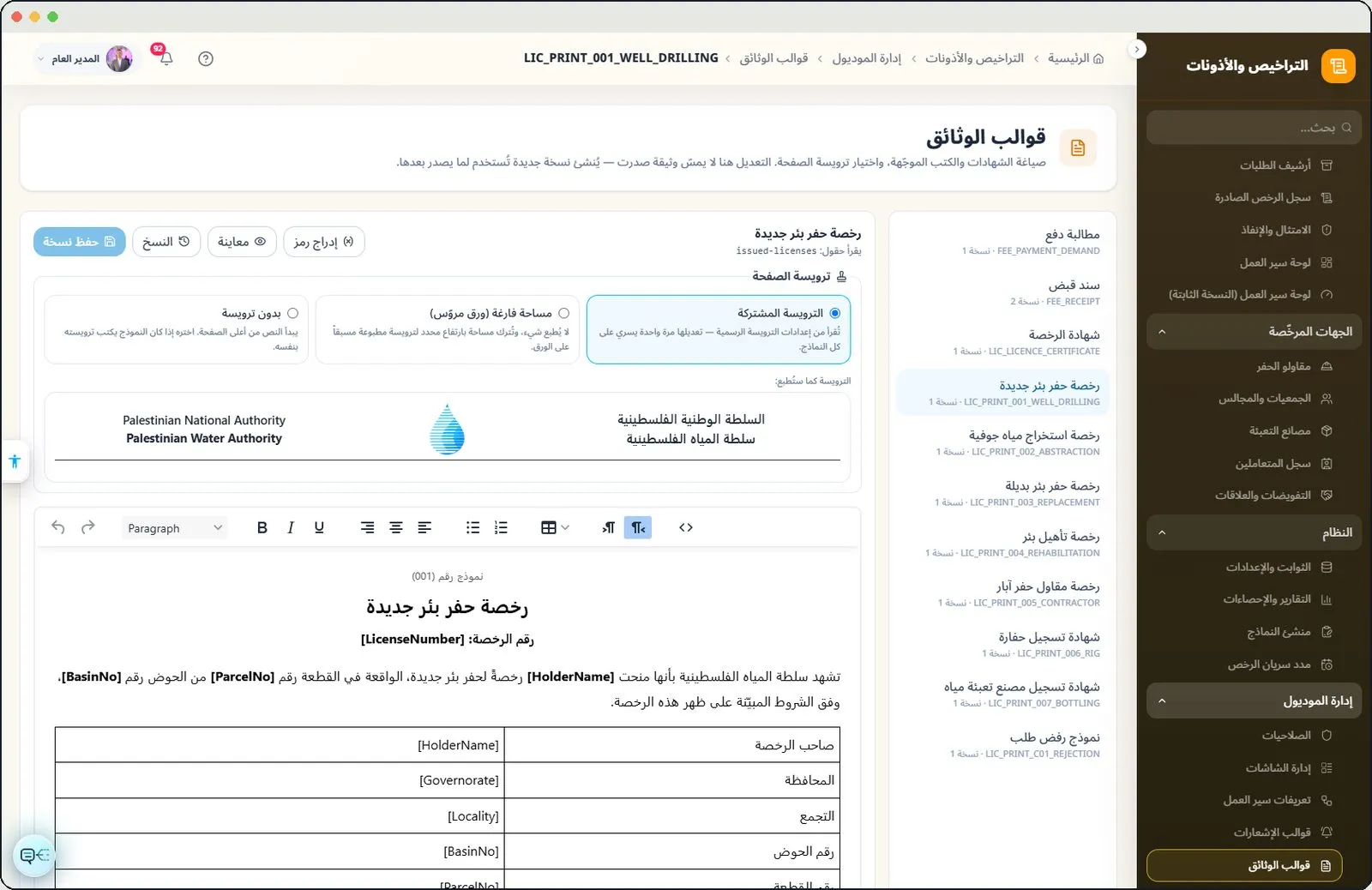
Issued documents
Issued once, never edited, verifiable
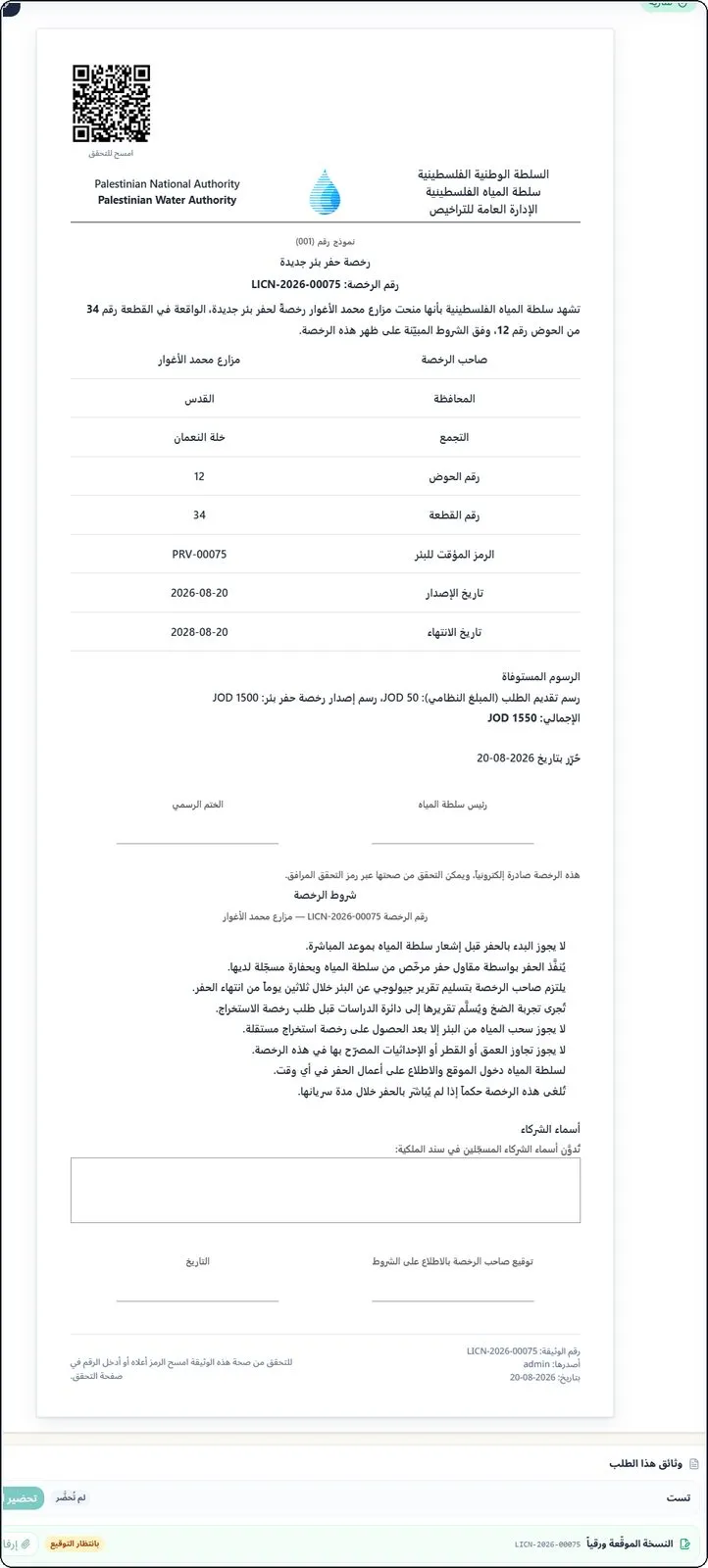
A licence or certificate is a final snapshot produced by the step that granted it, corrected by revoking and re-issuing.
- Preview the document at real page size before it is issued.
- What is issued stays as issued: rebuilt from today's data, it would no longer be what was approved.
- A printed QR opens a public verification page with no sign-in.
- Revoke and re-issue is the correction path, never an edit to what was issued.
Geography
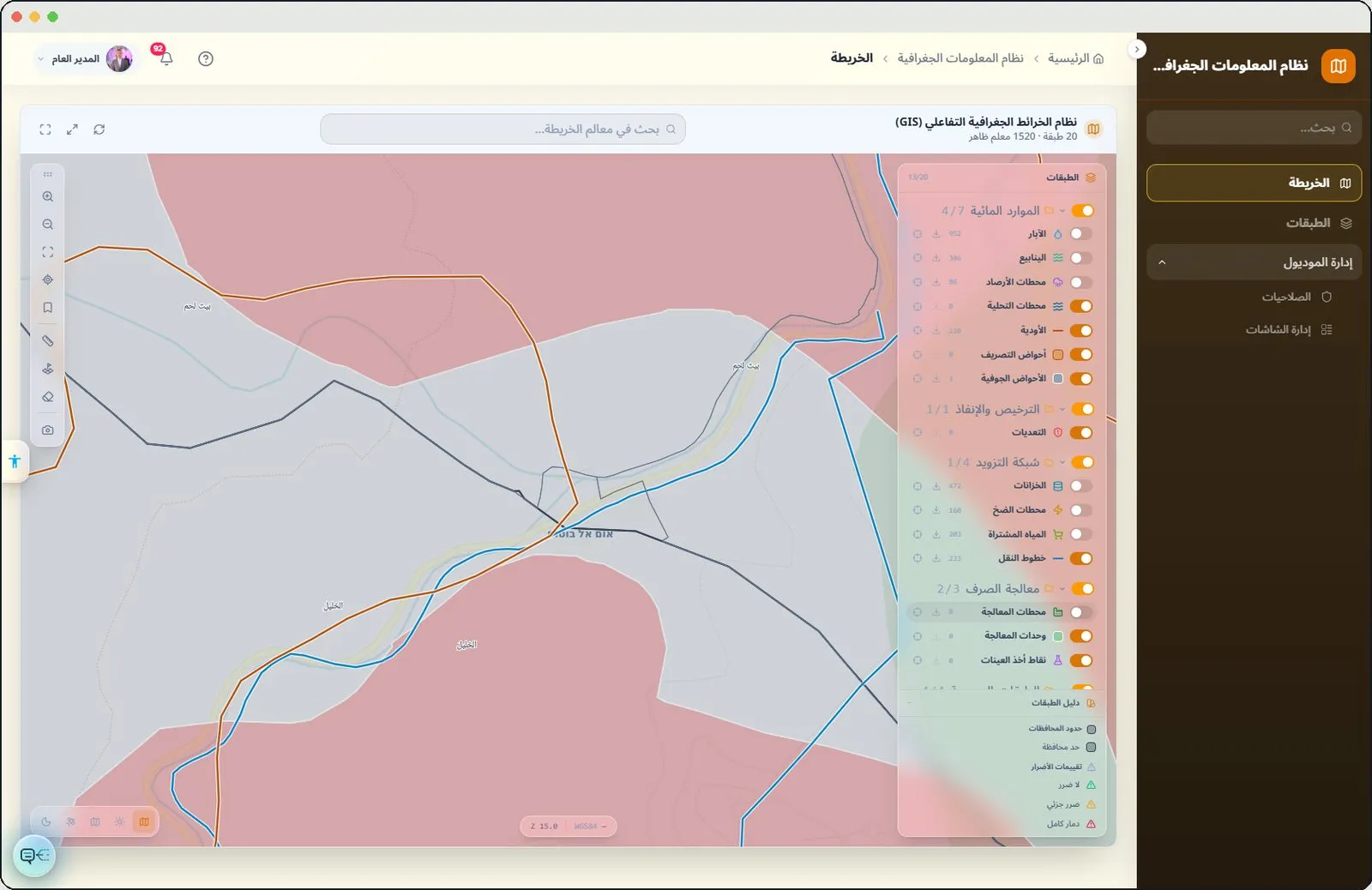
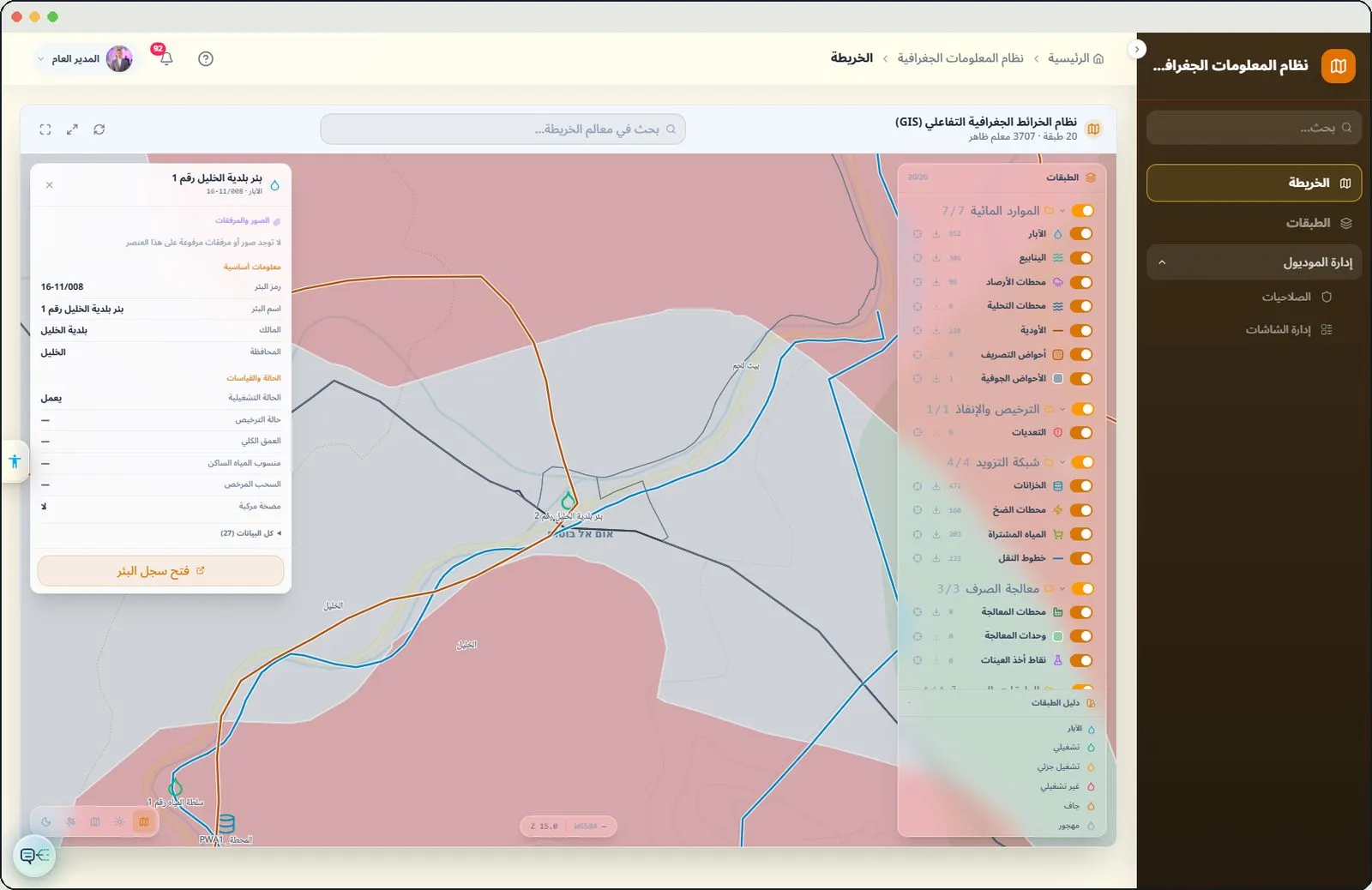
Location lives on the record itself
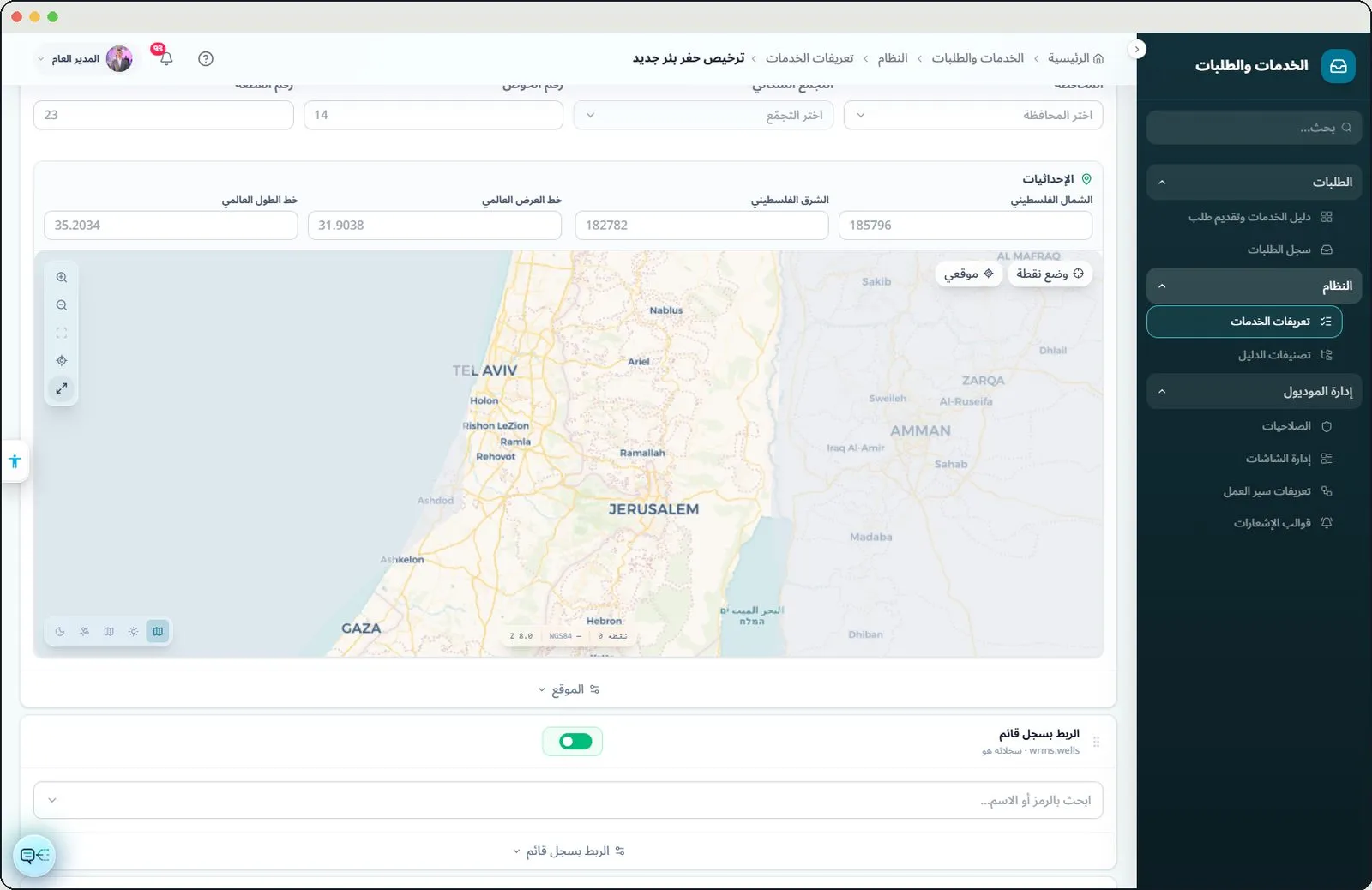
Assets and requests carry their own location, and the map is one layer over the modules.
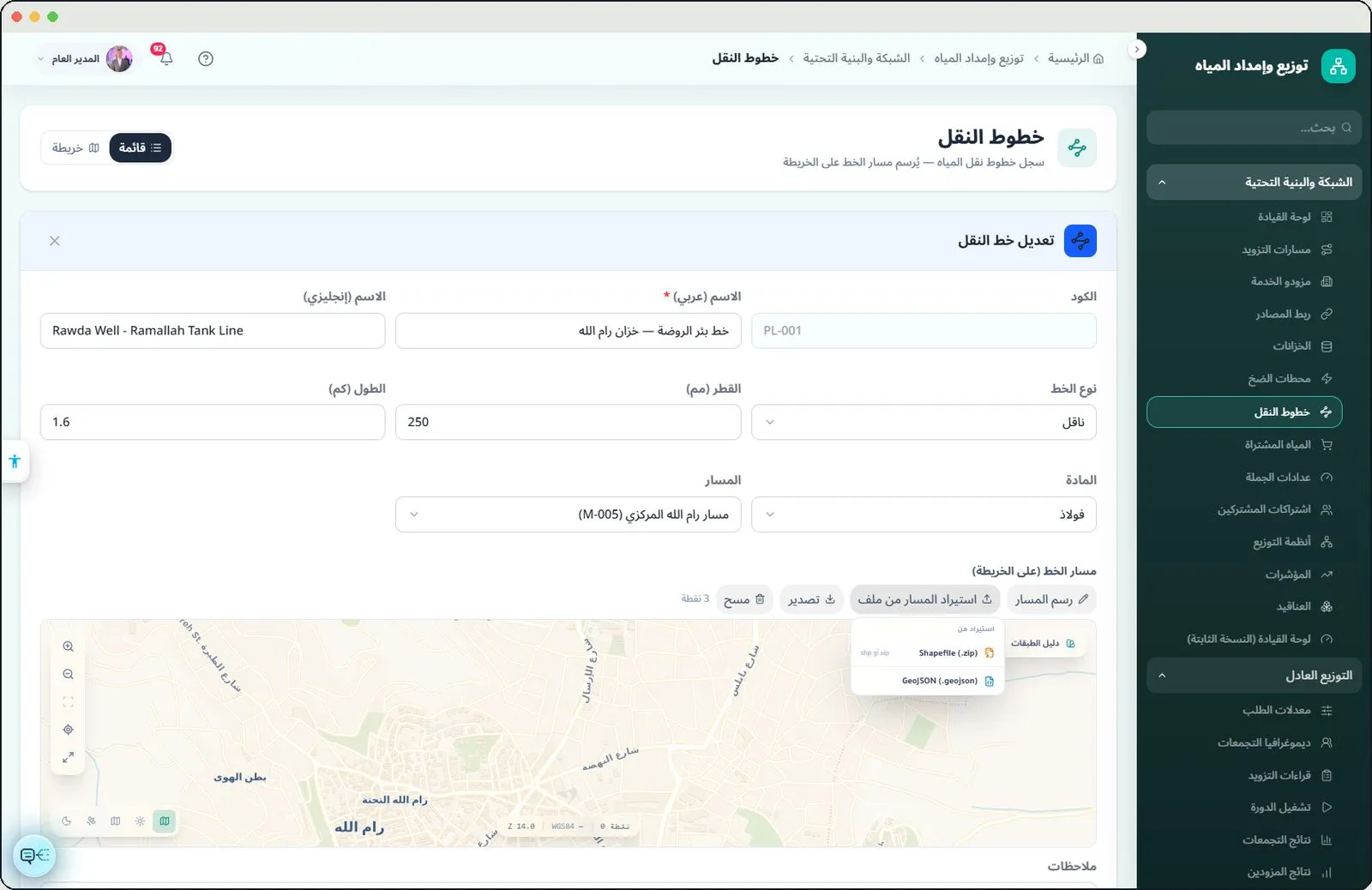
- Every module's assets on one map, each layer declaring its source.
- Import a boundary or a route from a file instead of redrawing it by hand.
- Shapefile and GeoJSON, both import and export.
- Layers are granted to roles, so a role sees only what belongs to it.
Notifications
What is sent, and when
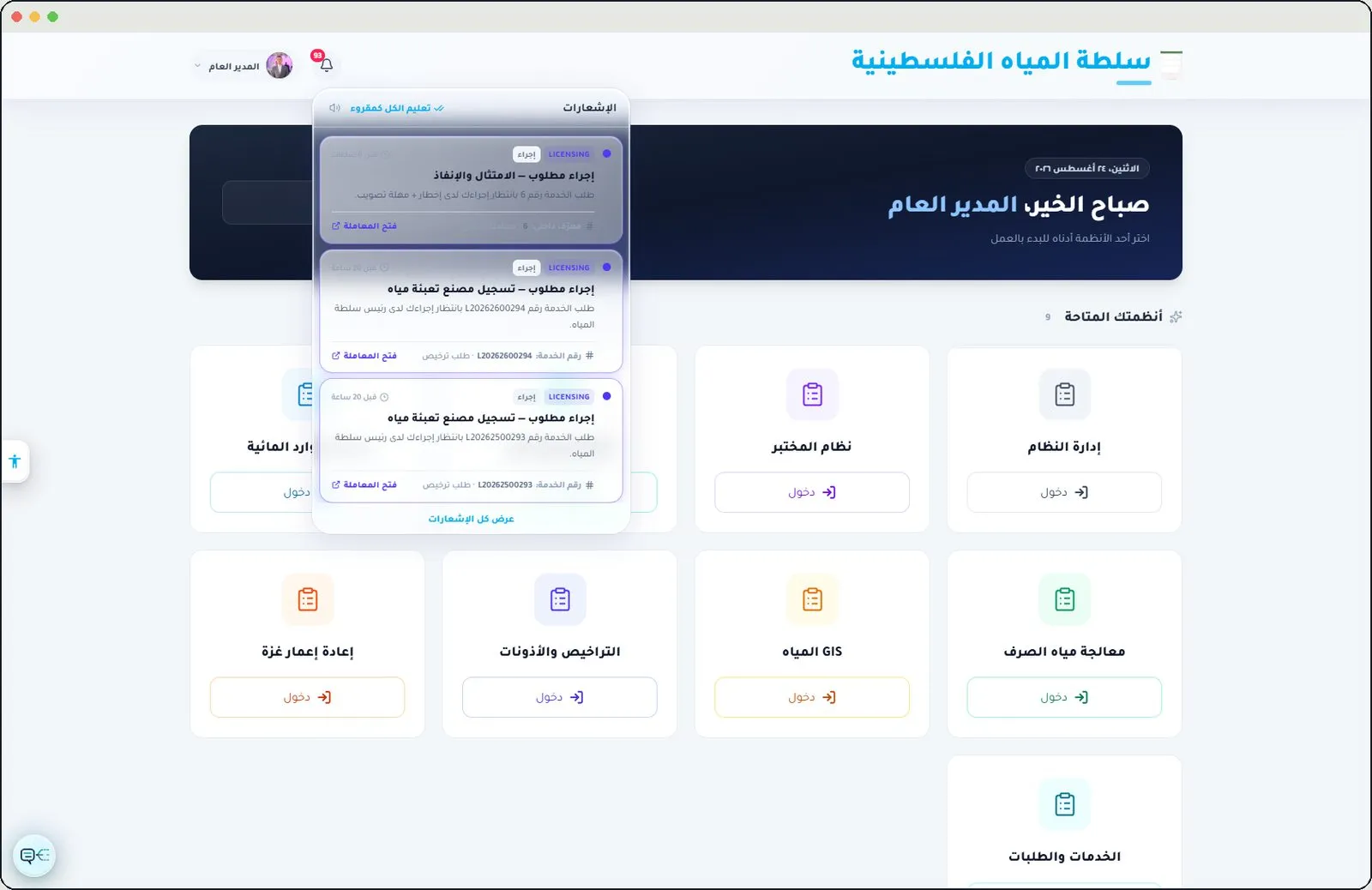
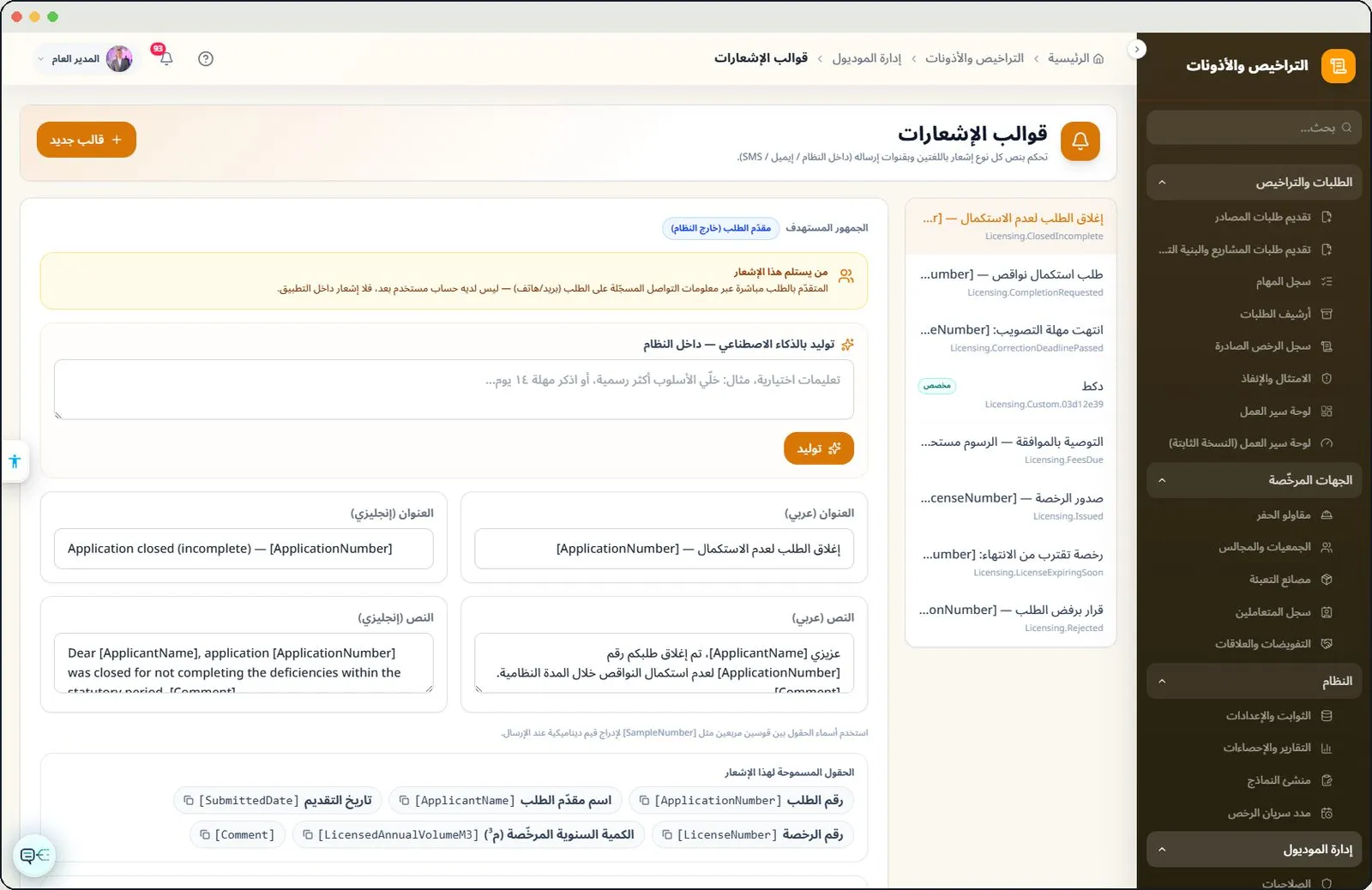
A notification is configured, not coded: choose the event, the recipient, the channel and the text, and it fires on its own.
- Event, recipient, channel and text are all configuration, not code.
- The notification fires automatically the moment the state changes.
- An in-platform inbox alongside email and SMS.
- Every notification links back to the record that raised it.
Artificial intelligence
The assistant
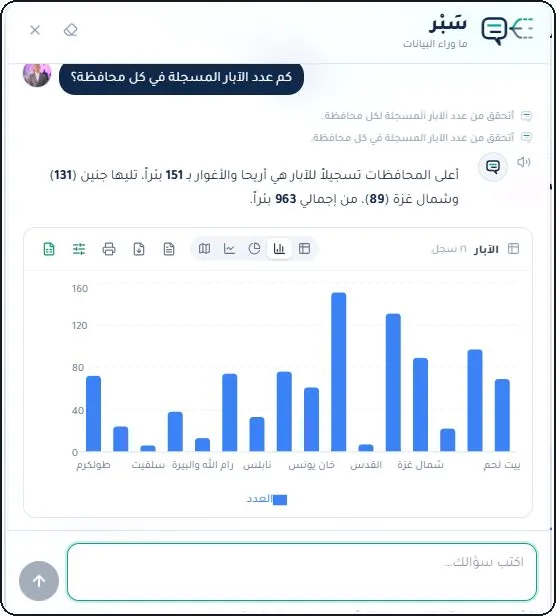
Ask your operational data
A question in plain language, answered from this organisation's own data alone.
- Ask in plain language — no special phrasing, no query language.
- The answer comes with the real table behind it, its filters and its true row count, so it can be checked.
- It works inside the asker's own permissions — it sees what they see, no more.
The assistant
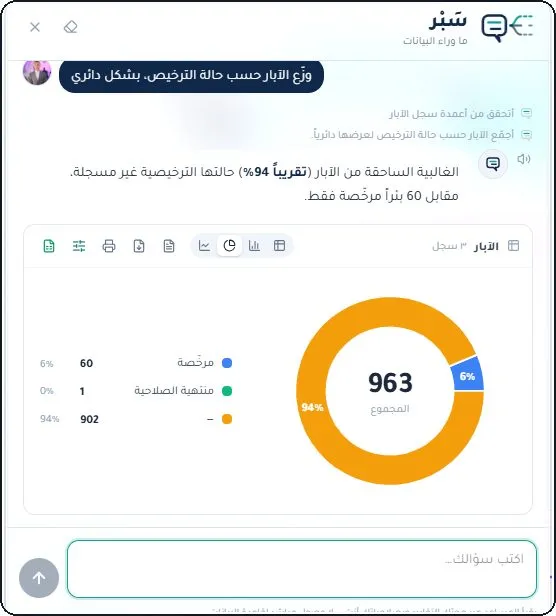
One assistant, every shape of answer
A single answer becomes a table, a chart or a printed document — the user picks the shape, not the model.
- Table, bars, pie, line — switched instantly, with no new question.
- Official printing on the institution's letterheaded template, from any result.
- Excel export with the institutional header and a right-to-left sheet.
Governance
The model never reaches the database
No connection string, no SQL, not one table name — the assistant asks the governed reporting engine with the user's own token.
- Every call carries the asker's permissions: a dataset they cannot read never appears; a column they cannot read is refused.
- Tenant isolation and row-level limits apply on the same path a human report run takes.
- Results are aggregated and capped by us, not by the model — no table dumps.
- Metadata travels with every result: the filters, the column units, and the true row count.
- The user's question
- The assistant
- Permissions & tenant isolation
- Reporting engine
Dynamic reports
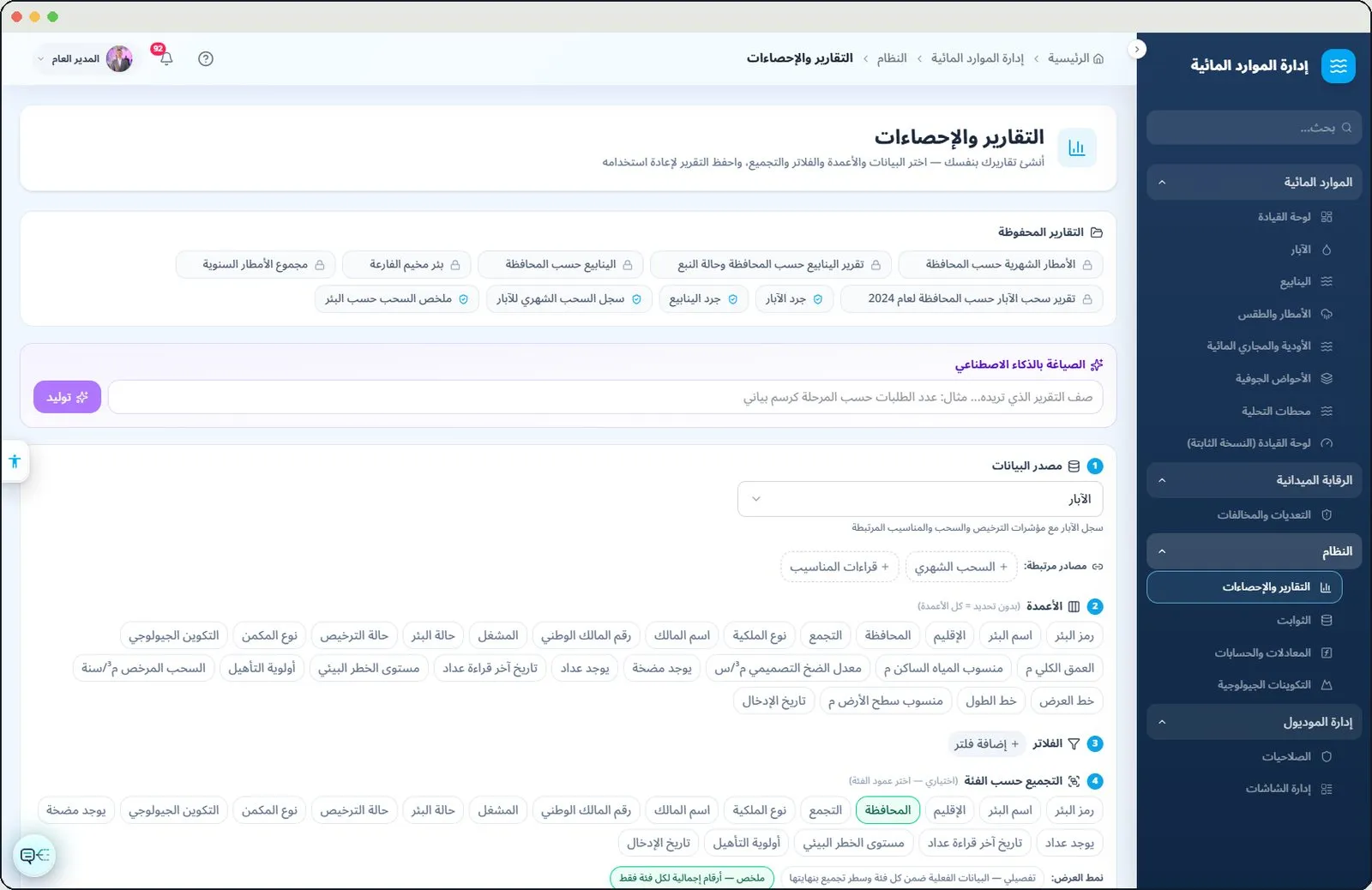
From answer to owned report
A result worth keeping is saved as your organisation's report — opened and edited in the report builder rather than trapped in a conversation.
- Ask for a result to be kept and it is saved as a real report.
- It opens in the report builder to be edited by hand.
- Or open a result in the builder unsaved, to adjust it first.
Dynamic reports
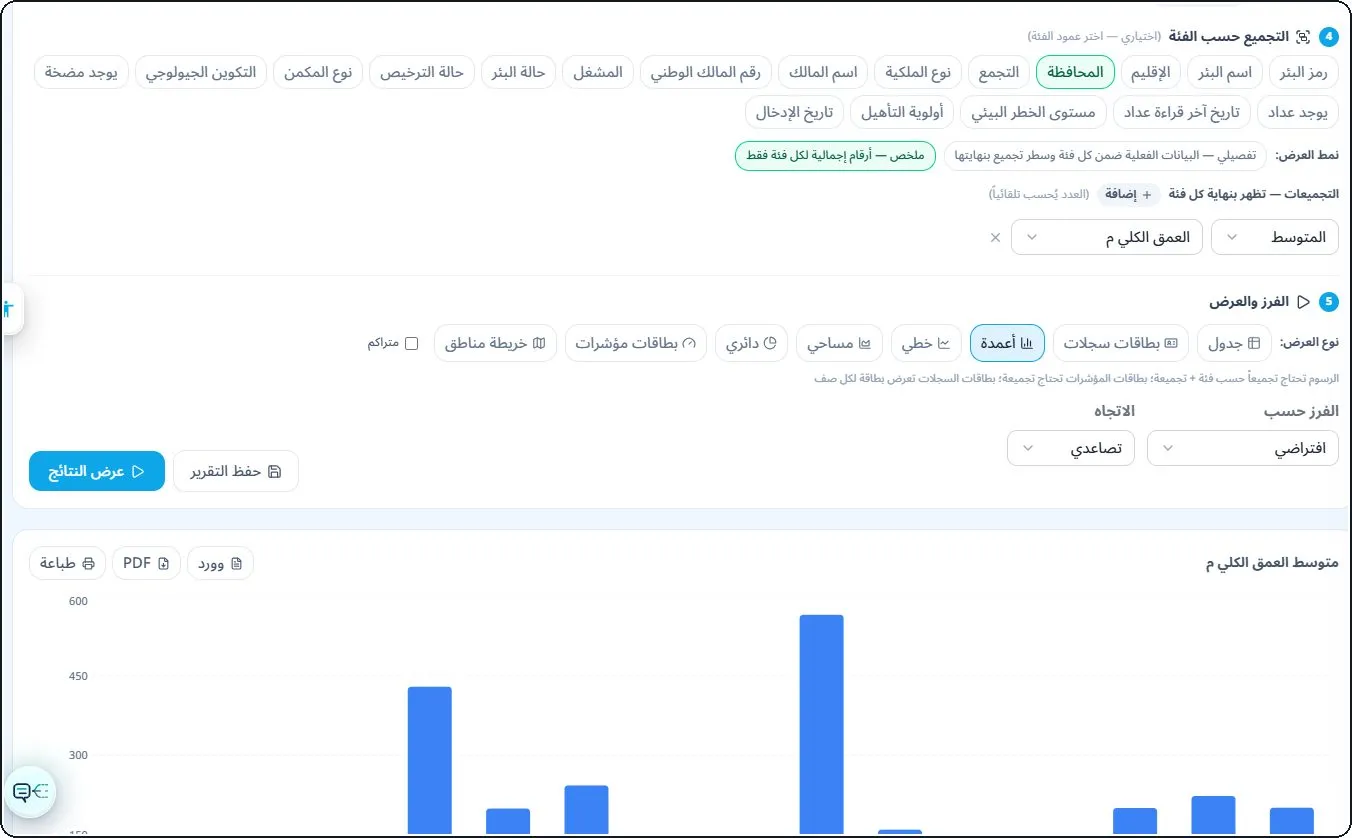
Describe it — it builds itself
Describe the report in a sentence and a full draft arrives — columns, filters and grouping — editable rather than imposed.
- Columns, filters and grouping proposed from the description.
- The user edits and approves — the decision stays with them.
- Only the datasets the user is allowed to read are on offer.
One platform under all our products: workflows, services, verifiable documents, maps and an assistant that answers and builds reports within the permissions of each user.
Request a pilot on your data